




The global leader in enterprise social media management
For over a decade, Sprinklr Social has helped the world’s biggest brands reimagine social media as a growth driver with a unified platform, industry-leading AI and enterprise-grade scale.



Social Media Management Tools Compared for 2026


AI-generated content has flooded every feed; audience attention spans have shortened, and brands are now expected to deliver personalized, real-time engagement across multiple social media channels simultaneously. Brands still running manual workflows across disconnected point solutions are losing ground on response time, content quality, and competitive benchmarking simultaneously.
The best social media management platforms go beyond scheduling and analytics. They scale content production, detect sentiment shifts in real time, route customer conversations to the right teams automatically, and measure impact across every channel in a single workflow.
This blog evaluates the 9 best tools on features, pricing, and readiness, so your team makes a tooling decision built for the speed AI has made the new baseline.
- What are social media management tools?
- Best overall social media management tools
- Social media management tools for enterprise brands
- Social media management tools for mid-size businesses
- Social media management tools for small businesses
- Top must-have features in a social media management platform
- Final Thoughts
What are social media management tools?
Social media management tools are platforms that consolidate content creation, publishing, engagement, and performance measurement across multiple channels into a single workflow. Modern platforms go further, embedding AI to automate content production, detect sentiment shifts, and route customer conversations to the right teams in real time.
Common use cases:
- Content planning and publishing: Schedule, publish, and optimize platform-specific content across multiple channels from a single calendar without managing each account separately.
- Customer engagement and care: Monitor and respond to comments, messages, and brand mentions in real time, routing conversations to the right teams before they escalate.
- Social listening and sentiment tracking: Track brand perception, competitor activity, and emerging trends across channels to inform campaign strategy and crisis response.
- Performance reporting: Measure content performance, audience growth, and campaign ROI across every channel in unified dashboards built for executive reporting.
Best overall social media management tools
Every social media management platform is built for a different scale, team size, and use case. Here is how the leading platforms compare across the criteria that matter most for enterprise decision-making.
Here's a brief preview of the best social media management tools:
Tool | Best For | Ideal Customer | Key Differentiator |
Sprinklr Social | Enterprise-grade social media management | Large enterprise | Unified platform across social listening, publishing, customer care, and analytics with AI-powered governance and compliance controls |
Hootsuite | Flexible publishing with broad integrations and built-in listening | SMB to mid-market | 150M+ source social listening included across all plans with 100+ native integrations and OwlyWriter AI for content generation |
Sprout Social | Deep analytics and structured team reporting | Mid-market to enterprise | Advanced analytics, best-in-class Smart Inbox, and stakeholder-ready reporting with social CRM functionality. |
Buffer | Lightweight scheduling for small teams and creators | Solo to small teams, | Simplest interface for multi-channel scheduling with a free plan and per-channel pricing |
Later | Visual-first content planning | SMB and creator-led teams | Visual grid planner and link-in-bio as core workflow, built for teams where aesthetic consistency drives strategy |
⚠️ Important Note for Readers:
The following tools are in no particular order of ranking or popularity. They are independent picks by Sprinklr’s editorial team based on our research and publicly available information on review sites. It is crucial to note that software or platforms may evolve over time, and the company may address some of these concerns in newer updates or versions.
Social media management tools for enterprise brands
Sprinklr Social
Sprinklr Social is an AI-powered social media management platform that enables brands to publish, engage, and analyze social performance across all major channels from a single workspace. It helps brands manage content at scale, engage with customers in real time, and optimize campaigns with AI-driven insights — all from a single unified platform. When integrated with Sprinklr Insights, it provides broader brand monitoring and competitive benchmarking to inform social strategy.
Sprinklr is recognized as a Leader in the 2024-2025 IDC MarketScape for Worldwide Social Marketing Software for Large Enterprises, a Leader in The Forrester Wave: Social Suites, Q4 2024, and a Leader by G2 with 45+ badges in their Fall 2024 reports.
Best for: Large enterprises with global operations, distributed teams, and a need for scalability, compliance, and cutting-edge AI capabilities.
Key features:
- Unified social media management: Bring together publishing, engagement, listening, analytics, and customer care into one connected ecosystem.
- Sprinklr AI+: Use generative AI to create content, optimize post timing, summarize interactions, and streamline approvals.
- Advanced social listening: Monitor over 30 social and digital channels, capturing real-time conversations to provide insights into customer sentiment, emerging trends, and potential crises. It utilizes AI to analyze unstructured data, including text and visual content, enabling brands to proactively manage their online presence.
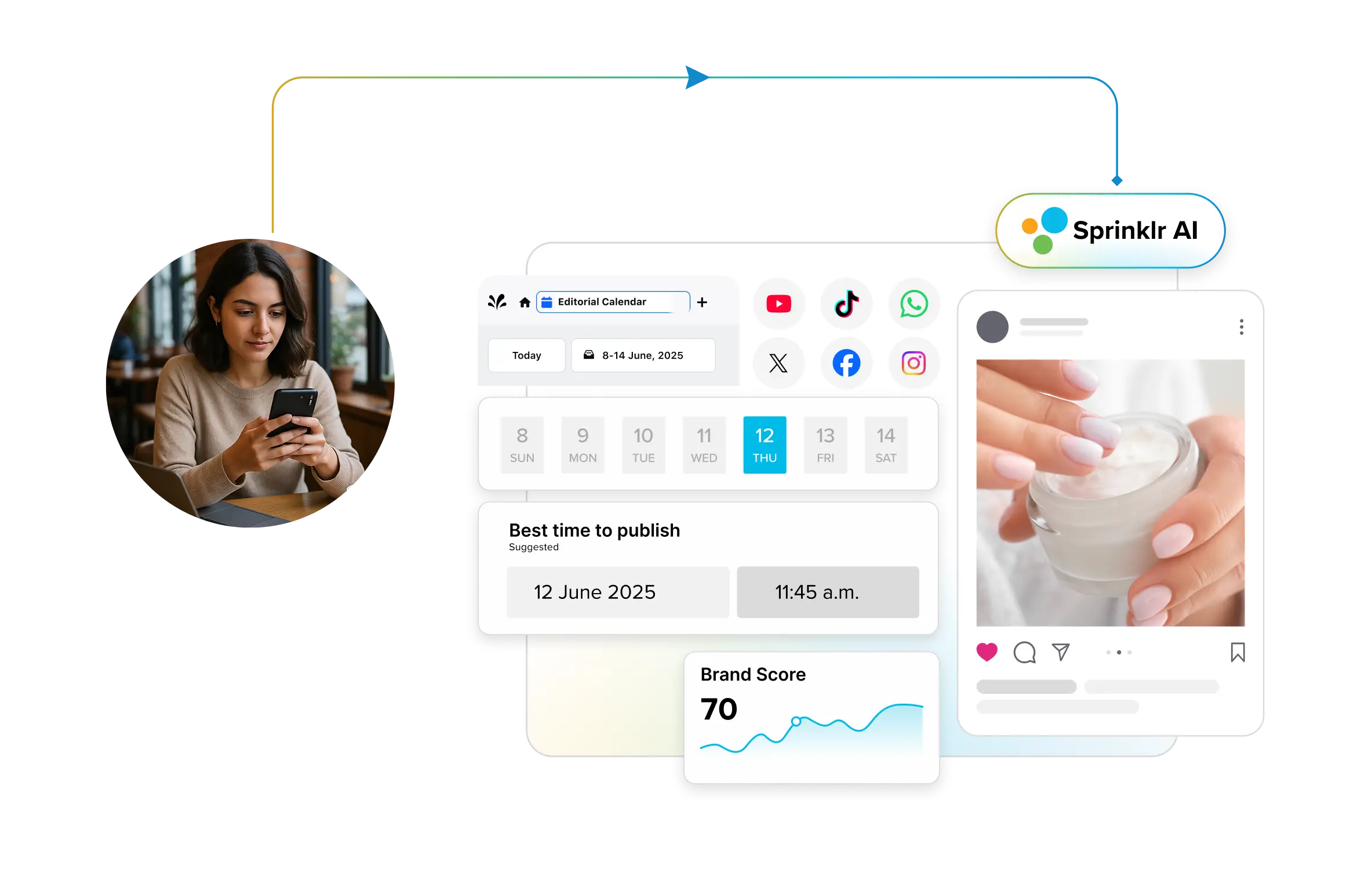
- Editorial Calendar:Get a full view of planned content, filter by campaign or channel, and manage workflows in real time.
- Omnichannel publisher: Schedule and customize content for 30+ channels from a single interface — complete with ad boosting and AI timing recommendations.
- Engagement dashboard: Monitor and respond to mentions, messages, and comments across platforms with sentiment analysis, auto-routing, and AI compliance checks.
- Comprehensive analytics and reporting: Track performance across paid, owned, and earned media with custom metrics and shareable reports for data-driven decisions.
- Digital Asset Manager: Organize, tag, and repurpose high-performing content with bulk uploads, version control, and team-specific access.
- Employee advocacy platform: Empower employees to share compliant, curated content, amplifying brand awareness and attracting talent.
- Social marketing for distributed teams: Empower regional and local teams to run localized, on-brand campaigns using pre-approved assets, while maintaining central visibility, compliance, and support for collaboration through live chat, lead routing, and campaign subscriptions.
- Persona-based workflows: Customize tool access and dashboards by role, so every user sees only what they need to work faster and smarter.
Pros:
✔ End-to-end platform for social, marketing, and care
✔ Built for scale, governance, and compliance
✔ AI that actually works — 90%+ accuracy on auto-categorization
✔ Custom workflows and role-based interfaces
✔ Excellent localization support for global teams
✔ Deep reporting and integrations with business tools
Good to know:
HP knew its "Get Real" campaign was a risk. A tech brand telling the world to put down their devices was always going to split opinion. What they did not anticipate was that their initial engagement spike was actually masking negative sentiment that would have quietly undermined the campaign.
Sprinklr gave HP visibility across paid, owned, and earned media in one place for the first time. That visibility let the team catch the sentiment shift early, retarget audiences, and restructure their media plan mid-campaign before the damage spread.
The result: 6% of campaign respondents either purchased or were about to. Here is how real-time intelligence made that possible.
Cons:
✖ Time to full activation: Sprinklr's enterprise feature set, spanning AI-powered listening, omnichannel publishing, governance workflows, and analytics, means teams see the highest ROI when they implement with a clear activation roadmap. Organizations without dedicated social media operations resources should factor onboarding time into their deployment timeline.
✖ Enterprise-tier investment: Sprinklr operates at the premium end of the market, which reflects its unified platform architecture and AI capabilities. It is best evaluated against the combined cost of the point solutions it replaces, not against single-function tools.
Pricing: Custom pricing available. Contact an expert for more information.
Sprout Social
Sprout Social combines publishing, engagement, social listening, and analytics into one platform, with a particular strength in reporting and customer relationship management. Its Social CRM functionality and intuitive dashboard make it a practical choice for enterprise teams managing high volumes of conversations across multiple channels while needing clear, stakeholder-ready performance data.
Best for: Mid-market and enterprise teams that want smarter publishing workflows, detailed analytics, and customer-centric engagement.
Key features:
- Smart Inbox: Consolidates messages, comments and mentions from all social channels into a single, filterable stream for efficient engagement.
- Social CRM: Helps build rich customer profiles with context like conversation history, sentiment and past engagement. Ideal for deeper, more personalized interactions.
- Advanced analytics & reports: Pre-built and custom reports cover engagement, content performance, team productivity and even competitor benchmarks.
- ViralPost® & Optimal Send Times: Analyzes 16 weeks of audience data to schedule posts when followers are most active, maximizing reach.
- Link-in-bio solution (SproutLink): Drives traffic and tracks conversions with customizable landing pages for Instagram and other platforms.
Pros:
✔ Intuitive UI and powerful reporting make it easy for non-technical teams to extract insights
✔ Strong CRM-style functionality for tracking audience relationships
✔ Employee Advocacy tools help amplify brand voice through internal teams
✔ AI-powered post timing and hashtag tracking optimize performance
✔ Smart Inbox and task assignments improve team coordination
Cons:
✖ Pricing scales quickly for larger teams or those needing listening/advanced analytics
✖ Calendar functionality lacks drag-and-drop scheduling or post grouping
✖ Some advanced features (like social listening) are gated behind premium plans
✖ Limited Instagram scheduling capabilities compared to competitors
Pricing:
Ø Standard: $199 per seat/month
Ø Professional: $299 per seat/month
Ø Advanced: $399 per seat/month
Ø Enterprise: Available on request
Brandwatch
Brandwatch provides a robust platform to elevate your online presence through a balanced approach to content publishing, audience engagement, and deep social listening. Combining campaign orchestration with analytics and brand intelligence, it is ideal for enterprise teams managing high volumes of content and conversations across regions with efficient social media management.
Best for: Medium to large enterprises and agencies managing high volumes of content and conversations across multiple regions, teams, and social channels.
Key features:
- Unified content calendar and approval flows: Manage all organic and paid content in one interface, with structured approval workflows and a centralized digital asset library to maintain brand consistency across teams and campaigns.
- Customizable social inbox: A centralized engagement hub covering Facebook, Instagram, TikTok, LinkedIn, WhatsApp, and YouTube, fully customizable by team, priority, and platform to manage cross-channel conversations efficiently.
- Built-in social listening: Monitor brand mentions, competitor activity, and trending topics across a database of over one trillion historical posts dating back to 2008, with millions of new posts added daily.
- Analytics and benchmarking dashboards: Customizable dashboards and automated reporting tools track campaign performance, engagement, and audience sentiment, with competitor benchmarking built directly into the platform.
- Influencer discovery and management: An end-to-end influencer solution with access to a database of over 30 million creators, covering discovery, relationship management, and campaign reporting in one workflow.
Pros:
✔ Strong native social listening engine — ideal for tracking brand mentions, competitor insights and audience sentiment without separate tools
✔ Excellent team collaboration through approval flows and campaign visibility
✔ Highly customizable inbox and analytics for enterprise-grade use cases
✔ Intuitive UI that balances out-of-the-box ease with deep configurability
✔ Reliable publishing integrations with key platforms like Meta and TikTok
Cons:
✖ Some users report publishing glitches, particularly on TikTok and Instagram public content
✖ Lacks cross-posting support across platforms, which can slow down multichannel workflows
✖ Sentiment analysis can be inconsistent and lacks advanced automation
✖ Permissions and user-role configurations can be clunky for complex orgs
✖ Social publishing & engagement capabilities are quite basic compared to more advanced platforms
Pricing: Available on request
💡 Pro Tip: Enterprise social listening generates its highest value when it extends beyond the channels your brand actively publishes on. Conversations shaping brand perception often happen on Reddit, Quora, and even TV and radio broadcasts, where no one tags your social handle, and it’s difficult to capture all the relevant conversations.
To address this, we’ve created this guide to help you understand how to turn billions of social data into actionable decisions.
Social media management tools for mid-size businesses
Hootsuite
Hootsuite is a social media management platform that consolidates scheduling, content creation, engagement, analytics, and social listening across all major social networks including Facebook, Instagram, LinkedIn, TikTok, and X. Its AI-powered tools and intuitive dashboard help businesses maintain a consistent online presence while delivering actionable performance insights.
Best for: Mid-size to large businesses, agencies and marketing teams managing multiple social accounts across platforms.
Key features:
- Unified Social Inbox: Manage comments, DMs, and mentions from multiple channels in one view with auto-routing, saved replies, and auto-responses to respond faster and stay organized.
- OwlyGPT: Generate social posts, campaign strategies, and insights in your brand voice based on the latest trends and conversations directly within the platform.
- Visual planner and content calendar: Plan and schedule posts using a drag-and-drop calendar with a clear view of upcoming content across all platforms, with bulk scheduling of up to 350 posts at once.
- Canva and Adobe Express integration: Access design templates and create visuals directly within Hootsuite without leaving the platform.
- Analytics and reporting: Track engagement, measure ROI, and generate customizable reports with competitive benchmarking against up to 20 competitors on Advanced plans.
Pros:
✔ Comprehensive platform covering scheduling, engagement, analytics, and social listening across all major networks
✔ AI-powered OwlyGPT generates captions, campaign strategies, and content ideas directly in the platform
✔ Robust analytics with industry benchmarking to prove ROI and refine strategies
✔ Canva and Adobe Express integration speeds up creative workflows without leaving the dashboard
✔ Extensive integrations fit seamlessly into enterprise tech stacks
Cons:
✖ Pricing can increase quickly for large teams due to per-seat costs, especially on enterprise plans
✖ Some users find the interface complex, with a learning curve for advanced features
✖ Lacks a centralized media library for asset storage and sharing, which can slow down content workflows
✖ Collaboration features, while improved, may not match the depth of some competitors
Pricing:
Ø Team: USD 249/month
Ø Professional: USD 99/month
Ø Enterprise: Custom pricing
Agorapulse
Agorapulse provides a comprehensive platform built for mid-sized businesses and agencies that need smarter scheduling, deeper engagement management, and strong reporting — all without overwhelming complexity. Its unified inbox, AI writing assistant, and Social ROI tracking make it one of the most complete mid-market tools available across Facebook, Instagram, LinkedIn, TikTok, X, YouTube, Pinterest, Threads, Bluesky, and Google Business Profile.
Best for: Teams looking for a balance between usability and powerful features, especially those that prioritize efficient inbox handling, analytics and client collaboration.
Key features:
- All-in-one social inbox: Manage comments, DMs, reviews, and ad comments from all connected networks in a single dashboard, with inline translation, collision detection, and automated moderation rules to keep teams organized and responsive.
- Publishing and scheduling: Schedule unlimited posts across all supported networks from a unified content calendar, with AI-generated captions, bulk scheduling of up to 200 posts, and shared calendars for external stakeholder review.
- Social ROI tracking: Measure the direct business impact of social media activity by connecting post-performance to website traffic, leads, and conversions via Google Analytics integration, available from the Standard plan.
- Custom reporting: Build audience, content performance, and community management reports with white-label export options across PDF and CSV formats, with advanced ads reporting and competitor benchmarking on the Advanced plan.
- Agorapulse AI: An AI writing assistant built into the composer that generates captions, alt text, and organization-specific content based on your brand's tone and direction, available across all plans.
Pros:
✔ One of the most intuitive inbox systems on the market
✔ Streamlined publishing tools, bulk scheduling and flexible queuing
✔ Powerful custom reports — exportable as PowerPoint
✔ Helpful CRM features like user labels, notes and activity ranking
✔ Smart automation tools like Inbox Assistant for time-saving workflows
Cons:
✖ No unified dashboard view of tasks, alerts or post status
✖ Inbox layout could make better use of space
✖ Settings navigation is a bit clunky
✖ Price is mid-to-high tier and may be steep for very small teams
Pricing:
Ø Standard: $79/user/month
Ø Professional: $119/user/month
Ø Advanced: $149/user/month
Zoho Social
Zoho Social is designed for small to mid-sized businesses that need affordable multi-channel publishing, monitoring, and engagement management. For teams already using Zoho CRM, its native integration creates a direct connection between social activity and sales pipeline data, making it one of the few tools that bridges social media and CRM without third-party middleware. Teams outside the Zoho ecosystem get a capable publishing and monitoring tool but lose its primary differentiator.
Best for: Small to mid-sized businesses, agencies, and teams already using Zoho products or those looking for a collaborative, CRM-integrated social media management solution.
Key features:
- Zoho CRM integration: Instantly connect social media activity with CRM data, enabling seamless lead tracking, customer interaction monitoring and campaign attribution.
- AI-powered content creation (Zia): Leverages OpenAI’s ChatGPT to generate creative, platform-specific content, speeding up post creation and ideation.
- SmartQ scheduling: Uses engagement data to recommend and schedule posts at optimal times for maximum reach and interaction.
- Team collaboration: Built-in chat, audio and video calls for real-time feedback and approvals; assign roles and manage permissions for efficient teamwork.
- Custom publishing tools: Schedule reposts, manage Instagram first comments, hashtags, @mentions and short URLs from a single window.
Pros:
✔ Seamless CRM and social media integration — ideal for sales-marketing alignment
✔ Zia AI simplifies and speeds up content creation workflows
✔ Excellent collaborative tools with team roles, chat and approval flows
✔ SmartQ helps post when your audience is most active
✔ Strong publishing customization for each platform
Cons:
✖ Steeper learning curve for first-time users, especially outside the Zoho ecosystem
✖ Mobile app lacks the fluidity and depth of the web version
✖ Navigation and UI can feel dated compared to more modern tools
✖ Lower-tier plans limit multi-user functionality, which may hinder growing teams
Pricing:
Ø Standard: $10/user/month
Ø Professional: $30/user/month
Ø Premium: $40/user/month
Social media management tools for small businesses
Buffer
Buffer offers a streamlined, user-friendly platform ideal for teams seeking simplicity and efficiency across channels like Facebook, Instagram, LinkedIn, TikTok, X, YouTube, Pinterest, Mastodon, Bluesky, Threads, and Google Business Profile. Long favored by small businesses and individual creators, its evolving suite of tools now also attracts enterprises looking for intuitive scheduling, basic analytics, and collaborative workflows—without the steep learning curve or high cost of more complex solutions.
Best for: Solo creators, small businesses, and small marketing teams seeking an affordable, intuitive platform for multi-channel scheduling and content planning.
Key features:
- Buffer AI Assistant: Generates content ideas, repurposes existing posts, and optimizes content for better engagement.
- Smart Alerts: Utilizes machine learning to notify users of posts with questions, negative sentiments or purchase-related comments.
- Start Page: Allows users to create a customizable landing page to showcase their brand and content.
- Ideas Kanban Board: Organize, brainstorm, and track post ideas and drafts within Buffer for more collaborative content planning.
- Simple scheduling: Drag-and-drop calendar for planning and queuing posts across Facebook, Instagram, LinkedIn, TikTok, YouTube, Pinterest, Google Business Profile and more.
- Link in Bio (Start Page): Create a customizable landing page to drive traffic from social profiles.
Pros and Cons
Pros:
✔ Intuitive and clean user interface, making it accessible for users of all skill levels
✔ Affordable pricing with a generous free tier, suitable for small businesses and individuals
✔ Robust scheduling features, including a visual content calendar and pre-set time slots
✔ AI-powered tools assist in content creation and optimization
✔ Responsive customer support with a reputation for helpfulness
Cons:
✖ Limited social listening and engagement features compared to more comprehensive platforms
✖ Analytics capabilities are basic; advanced metrics require additional tools or integrations
✖ Free plan restricts users to three social accounts and a maximum of 10 scheduled posts per channel
✖ Some users report occasional bugs, such as issues with link unshortening
Pricing:
Ø Essentials: $5/month/channel
Ø Team: $10/month/channel
SocialPilot
SocialPilot is a user-friendly platform designed for budget-conscious buyers and teams aiming to streamline scheduling, publishing, and analytics across multiple channels. While especially popular with smaller enterprises and agencies, its robust feature set—including bulk publishing, AI-powered content creation, and deep integrations—makes it a practical choice for organizations seeking to simplify their social media workflow without sacrificing essential functionality.
Best for: Small to mid-sized businesses, agencies and social media managers seeking an affordable, intuitive platform to manage high volumes of posts and multiple accounts with minimal fuss.
Key features:
- Connect 50+ accounts: Manage and schedule posts for over 50 social profiles across Facebook, Instagram, LinkedIn, X, Pinterest, TikTok, and more-all from a single dashboard.
- AI Assistant: Auto-generate captions, hashtags and repurpose content for each platform; translate posts and test copy variations to boost engagement.
- Bulk publishing: Schedule up to 500 posts at once via CSV upload, making it easy to plan campaigns for weeks or months in advance.
- Custom feeds automation: Curate evergreen and trending content from across the web with RSS feed integration, ensuring your channels stay fresh and relevant.
- Browser-friendly integrations: Includes access to Canva, Dropbox and URL shorteners directly within the platform for faster content creation.
Pros:
✔ Extremely cost-effective for teams managing many accounts or high post volumes
✔ Intuitive interface with minimal learning curve, ideal for those new to social media management
✔ Bulk publishing and scheduling save time for agencies and busy teams
✔ Strong external integrations (Canva, Dropbox) enhance content creation workflow
✔ Responsive customer support and generous free trial
Cons:
✖ Analytics are limited for personal profiles (especially on LinkedIn)
✖ AI Assistant’s hashtag suggestions and post hooks may not always suit platform best practices, especially for LinkedIn
✖ No advanced targeting or automation found in higher-end enterprise platforms
✖ No free plan beyond the trial; entry-level pricing may still be a hurdle for solo creators
Pricing:
Ø Standard: $42.50/month
Ø Premium: $85.00/month
Ø Enterprise: Custom pricing
Later
Later is a visual-first social media management platform designed for creators and small teams that plan and publish content across Instagram, TikTok, Pinterest, Facebook, X, LinkedIn, and YouTube. Its workflow centers on visual content planning, smart scheduling, and link-in-bio tools, making it a practical choice for teams where feed aesthetics and content velocity define their social media output.
Best for: Freelancers, creators, and small to mid-sized teams that prioritize visual content planning, Instagram and TikTok-first workflows, and multi-channel scheduling.
Key features:
- Visual content calendar: A drag-and-drop calendar that previews exactly how scheduled posts will appear on Instagram and TikTok feeds before publishing, with media organization, tagging, and cross-channel scheduling built in.
- Smart Scheduling: Available on Growth plans and higher, Smart Scheduling analyzes audience engagement data to recommend and automate posting at optimal times across connected platforms.
- Social Inbox: Available from the Growth plan, the social inbox consolidates comments and messages from connected platforms into a single view for efficient community management and team response coordination.
- Future Trends and Brand Mentions: Available on the Scale plan, Future Trends surfaces upcoming hashtags and trending topics before they peak, while Brand Mentions lets teams discover and engage with conversations about their brand across connected platforms.
- Custom analytics: Available on the Scale plan, custom analytics tracks performance across all connected social profiles with filters, shareable reports, and competitive benchmarking.
- Linkin.bio: A customizable link-in-bio landing page built directly into Instagram and TikTok profiles, making content clickable and shoppable with built-in performance tracking.
Pros:
- Visual Instagram and TikTok grid planner previews feed aesthetics before publishing, purpose-built for visual-first brands
- Social inbox and team collaboration tools available from the Growth plan without enterprise-level pricing
- AI content tools included across all paid plans with monthly credit allocations for caption generation and content ideation
- Scale plan includes brand health monitoring, brand mention tracking, and competitive benchmarking, features typically reserved for dedicated listening tools
- Free trial available on all paid plans with no credit card required
Cons:
- Starter plan limits users to one social set, one user, and 30 posts per profile per month, making it restrictive for teams beyond solo creators
- Social listening, competitor benchmarking, and custom analytics are gated behind the Scale plan, leaving Growth plan users with limited intelligence and reporting depth
- Post scheduling caps apply on Starter and Growth plans, with unlimited scheduling only available on the Scale plan
- Add-on costs for additional social sets at $15 per month and additional users at $5 per month accumulate quickly for teams managing multiple brands
- Platform covers eight social channels, limiting coverage for teams managing presence beyond mainstream networks
Pricing:
- Starter: $18.75 per month
- Growth: $37.50 per month
- Scale: $82.50 per month
Top must-have features in a social media management platform
When selecting a social media marketing tool, it's easy to get distracted by flashy features that you may never use. However, narrowing down your feature list to focus on what's truly important can make a significant difference for your brand. Prioritizing essential features ensures you get the most value for your investment and avoid paying for extravagant options that don't align with your needs.
Here are the top features you should look for:
1. Multi-platform scheduling: Your social media management tool should have this feature because it allows you to schedule posts across platforms like Facebook, Instagram, and LinkedIn in one go.
2. Detailed analytics and reporting: Your social media tool must include social media analytics because it helps you track engagement, audience demographics, and post-performance. With these insights, you can make informed decisions to refine your strategy and create more impactful content.
3. Visual content calendar: A content calendar is essential because it helps you plan and organize your posts ahead of time. This feature makes it easy to spot gaps, maintain a consistent schedule, and align campaigns seamlessly.
4. Team collaboration and workflow management: This feature is critical because it enables you to assign tasks, review drafts, and approve posts without delays. It keeps your team aligned and reduces communication bottlenecks.
5. Real-time social listening and monitoring: This feature reveals relevant conversations within your customers, competitors, and industry in general. It enables you to respond to feedback in a timely manner and capture the voice of the customer.
Final Thoughts
Choosing the right social media management tool is not just a software decision. It is an operational one. The wrong stack fragments data, slows response times, and creates governance gaps that compound as your team and channel footprint grows.
For enterprise teams where those gaps have a direct impact on brand reputation, pipeline, and customer experience, Sprinklr Social brings publishing, listening, engagement, and analytics into one unified workflow. The result is fewer tools, faster decisions, and a social media operation that scales without adding complexity.